
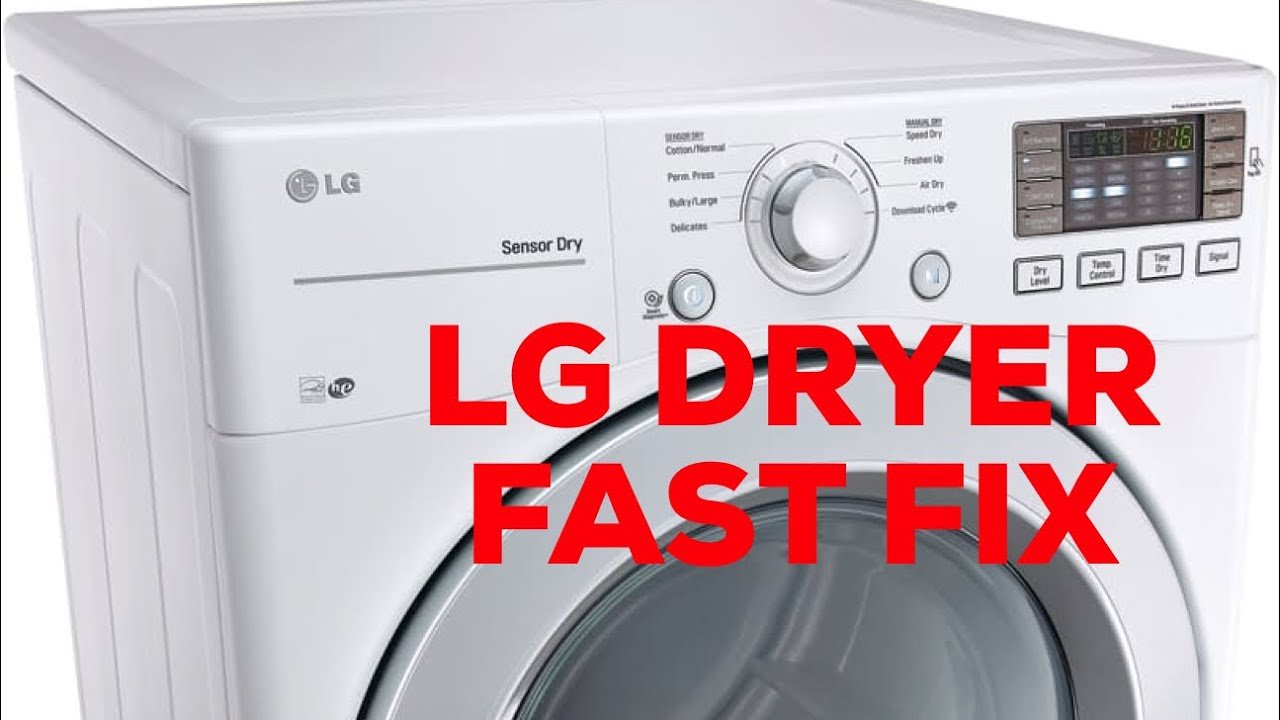
Many LG dryer owners face the frustrating problem of a dryer that runs but produces no heat, leaving clothes damp despite completing a full cycle. Unlike some appliances, most LG dryers don’t have a dedicated “reset button” for heating issues, but that doesn’t mean you can’t fix it.
Heat problems often stem from airflow restrictions, tripped safety devices, or faulty internal components like the heating element, thermal fuses, or thermostats. Understanding how your dryer regulates heat and resets itself is crucial before attempting repairs.
This guide will explain why your LG dryer might not be heating, how to perform a proper reset, ways to troubleshoot common issues safely at home, and when to seek professional help. By following these steps, you can restore your dryer’s heating function efficiently, prevent recurring problems, and extend the life of your appliance.
1. Do LG Dryers Have a Reset Button?
Most LG dryers do not have a dedicated reset button to fix heating issues. Instead, modern dryers rely on automatic safety mechanisms such as thermal fuses and control board resets.
However, some older models or specific gas dryers may have a manual reset switch located near the heating unit. This button is not on the control panel but inside the dryer, typically near the heater box or thermal cutoff device. Pressing it can restore heat after overheating, but it’s only a temporary fix if the underlying issue is unresolved.
For most modern LG electric and gas dryers, the reset process involves resetting the control board rather than pressing a button. Repeatedly pressing a reset switch without addressing the root cause can lead to further damage.
💡 Tip: Always unplug your dryer before attempting to locate or press any internal reset switch for safety.
2. Why Your LG Dryer May Not Be Heating
When a dryer spins but produces no heat, it could be due to one or more of the following:
a. Blocked Airflow or Lint Build-Up
Restricted airflow can cause the dryer to overheat. If the vent or lint trap is clogged, the dryer’s safety sensors may shut off the heat automatically.
b. Thermal Fuse or Safety Cutoff Tripped
The thermal fuse prevents overheating by cutting off power to the heating element. Once tripped, the fuse must either be reset or replaced, depending on the model.
c. Faulty Heating Element or Igniter
Electric dryers rely on a heating coil, while gas dryers use an igniter. Failure of either component will result in no heat generation.
d. Malfunctioning Control Board or Sensors
Sometimes, the control system itself may fail or misread temperatures, preventing heat from activating. A control board reset can sometimes resolve this issue.
e. Wrong Cycle Settings
Using an “Air Dry” or energy-saving cycle can cause the dryer to operate without heat by design.
3. How to Reset Your LG Dryer
Since most LG dryers lack a simple reset button, the proper reset method involves the control board. Here’s how:
Step-by-Step Control Board Reset
- Turn off and unplug the dryer from the power source.
- Press and hold the START/PAUSE button for about 5 seconds while the dryer is unplugged.
- Plug the dryer back in and turn on the power.
This method clears minor control board glitches and error codes that may prevent heating.
4. Resetting Internal Thermal Safety Devices
Some LG gas dryers and a few electric models include resettable thermal cutoffs or limit switches:
Locating the Thermal Reset Switch
- Typically found inside the dryer, near the heater chamber or blower housing.
- Accessing it usually requires removing a panel on the rear or front of the dryer. Always unplug first for safety.
Reset Procedure
- Press the thermal reset switch firmly until you feel a click.
- Reassemble the panel and test the dryer on a normal cycle.
⚠️ If the reset switch trips repeatedly, there is an underlying problem such as a clogged vent, faulty thermostat, or overheating component.
5. Common Reasons the Reset Button Keeps Tripping
Even if the reset works initially, it may trip again if the root cause isn’t fixed:
5.1 Clogged Vent or Lint Screen
Poor airflow causes the dryer to overheat, activating the safety cutoff repeatedly.
5.2 Faulty Heating Element or Igniter
A malfunctioning heating component can overheat or fail to produce consistent heat, triggering the thermal cutoff.
5.3 Malfunctioning Thermostat or Thermistor
If the thermostat or thermistor fails, it may misread temperatures and falsely signal overheating.
5.4 Dirty Sensors
Sensors that monitor moisture or temperature must remain clean to function properly.
5.5 Wrong Dryer Settings
Using cycles that operate with little or no heat can appear as if the dryer is malfunctioning.
6. Additional Troubleshooting Tips
Check Cycle Settings
Ensure the dryer is not on “Air Dry” or energy-saving mode, which can run without heat.
Verify Power Supply
Electric dryers require a full 240V supply. A partially tripped breaker or faulty outlet can cause the dryer to spin but not heat.
Clean Lint Trap & Vent
Regularly cleaning the lint trap and vent improves heat performance and prevents trips of safety devices.
Run a Diagnostic Mode
Some LG dryers support diagnostic tests that reveal error codes related to heating issues. Check your model manual for instructions.
7. When to Call a Professional
Professional repair is recommended when:
- The thermal fuse or resettable switch does not restore heat.
- The heating element, igniter, or control board is faulty.
- Complex sensor issues require diagnostic testing.
- Multiple resets fail, indicating an underlying mechanical or electrical problem.
A licensed technician can test electrical continuity, replace faulty components, and ensure safe operation.
Read More: The Meaning of the 0272 Phone Number
Conclusion
If your LG dryer is running but not producing heat, it is often due to airflow issues, tripped thermal devices, or faulty internal components. While most models do not feature a labeled “reset button,” you can perform a control board reset by unplugging the unit and holding the Start/Pause button.
Some models have internal resettable thermal cutoffs that can restore heat, but repeated trips signal underlying issues such as clogged vents, faulty thermostats, or overheating components. Before calling a technician, check cycle settings, inspect the lint screen and vents, and attempt a proper reset.
If the dryer continues to fail, professional diagnosis ensures safety and restores efficient operation. Understanding these mechanisms empowers you to troubleshoot common LG dryer problems effectively, improve performance, and extend the lifespan of your appliance. With careful maintenance and timely resets, you can keep your dryer heating reliably for years.
FAQs
1. Does my LG dryer have a reset button for heating problems?
Most LG dryers do not have a dedicated reset button. Resets are performed via the control board or internal thermal switches.
2. How do I reset an LG dryer that won’t heat?
Unplug the dryer, hold the Start/Pause button for about 5 seconds, then restore power. This resets the control board.
3. Why does my LG dryer heat for only a short time then stop?
A tripped thermal fuse, clogged vent, or faulty heating component can cause the dryer to overheat and shut off heat temporarily.
4. Can clogged vents cause my dryer not to heat?
Yes. Poor airflow can cause overheating, which triggers thermal safety devices to cut off the heat.
5. When should I call a technician for my LG dryer?
If resets and basic troubleshooting fail, especially with internal component failures, a professional repair is necessary.